Posts Tagged ‘iPhone’

funfair mechanic

funfair mechanic (Photo credit: casper.tromp)

Remember those Saturday’s when your uncle or other male counterpart was constantly” fixing” something? Maybe he was replacing a blade on his handy, dandy, “don’t fail me now” lawnmower that is rolling on it’s last wheel. He could have been changing the oil in his truck, fixing a leaky radiator hose or any other thing he thought needed fixing! He always had a toolbox handy that had his basic necessities inside, didn’t he? Now, I’m not knocking today’s generation of women who can fix things. I make that attempt myself, although I usually do it the easy way by consulting “Google” for my easy fix!

I love the DIY (Do It Yourself) web sites and love to do the crafty things like refinishing old furniture because I see that it can still be used. I recycle! Don’t throw away what you think may be junk, may turn out to be a nice furniture piece for your parlor! One day as I was scouring the DIY pins on Pinterest, I found a unique coffee table made out of old wooden wine bottle crates! But sanded down and stained, they actually gave the room a modern but rustic ambiance to the room itself. It’s definitely on my list of “To-Do’s”! You can view the step by step here: http://diy-vintage-chic.blogspot.com/2012/05/vintage-wine-crate-coffee-table.html I heart this website! Such great ideas, especially if you like that “Vintage Chic” look 🙂 You can also follow my Pinterest page on the left sidebar at the top there is a button! Just click it and see what kind of stuff I have pinned! Pretty cool if I say so myself!

Okay. I think I have rambled endlessly about DIY stuff and that’s not what you thought you’d see coming to a genealogy blog now is it? HA! I fooled you! But seriously, back to the topic of the genealogy toolbox!

I have in my own toolbox, several apps I use and thought I would share with you the two that I use for today’s post. More to come next Monday!!

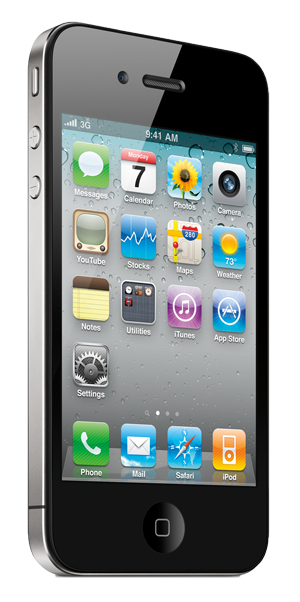
KINDLE~ OMG! I absolutely love this app! I use it on my iPhone4, yeah I don’t have the 4S with Siri who talks to me, but hey, who needs her when I have all these other apps that I love? I don’t need you Siri-sorry! But since I am a lover of reading and books, but also the more frugal “cheap” type of girl, I look for free or low cost books first. I have several genealogy books stored in my “cloud shelf” that I can read anytime I like. The Kindle app is free just in case you didn’t know. In my Kindle app, I have genealogy books that I downloaded for free, many creative writing books, some marketing, books about faeries and the fey, thrillers, and romance! My latest great read I want to share with you- the book is titled, “Forbidden Romance” and is cleanly written by Clinton Getzinger. You can check out the book and my review here: http://www.amazon.com/Forbidden-Romance-Clinton-W-Getzinger/dp/1478248084/ref=sr_1_1?ie=UTF8&qid=1346088256&sr=8-1&keywords=forbidden+romance+clinton+getzinger

Evernote~ Add new notes when you get great ideas or if you want to remind yourself to make that ancestral chart for your great grand aunt that you forgot to do yesterday~ OOPS! I use this app frequently. I have created notes on genealogy blog topics I would like to read about, genealogy correspondence logs, you name it and it goes in there. What is so cool about this app to me, is the fact that you can sync the app on your iPhone to your home computer! Ahhh! How great is that? That’s not all! You can add photos to your notes to give you that creative spark that you had at that particular time, on that day. You could have been walking your dog in the park and an idea just popped in your mind that you don’t want to take the chance that you may forget later. This is why I use this and guess what? IT’S FREE!

What genealogy apps do you use? Please comment below! I would love to find a new app that I haven’t seen or heard of!

Thanks for visiting and “Happy Monday” to you!!

“Hawaiian Jasmine”
Photo Credit: Kelly Vial via kellyvial.wordpress.com
Photo Taken: July 2012, in Honolulu, Hawaii

It seems that I am always on my laptop researching my ancestry, sending emails, and connecting with family members trying to obtain a little bit of history on my ancestral roots. If I’m not on my laptop, I always have my handy dandy iPhone with me everywhere I go. Sharing memories in the form of photographs on social networking sites helps me stay connected to my family being that I live so far away from them all. I live approximately 4000 miles away on an island in the middle of the Pacific, so staying connected is very important to me. Thank God for all this technology!

I recently found an app for my iPhone that I have been trying out and I really like it! The app is called “Saving Memories Forever”. And it’s FREE!! Even better right? You can create your “family memories” through audio recordings! HA! Love it 🙂 Having many stories to share with family and future generations, this app lets you record your stories and share them. Whether you have stories and memories of your grandparents, aunts and uncles, or just want to talk about the vacation you just took or the day you were married, this app allows you to do this. You can record as many stories as you would like to and share them with whomever you wish. The recordings you make are uploaded to the Saving Memories Forever web site and can always be accessed through the app or web site. If you get their premium service, then your stories can be “tagged” which makes the stories easier to find. All your stories are safely stored on this web site and you can even add your family’s favorite recipes and add photos to boot! Yay!

I think my favorite feature of this app is that you can share with your family and add them as storytellers! What better way to share your stories and those of your family? How convenient! What a great idea for an audio scrapbook; you will have your story in your own words and you can have access to your extended family’s memories too. To hear them talk about their own memories and be able to one day share them with your own children, grandchildren, or great grandchildren, is phenomenal!

This app is perfect for me! Always on the go, some memory may just pop in my head, but I don’t have time to write it down to remember later. If I remember everything, that is 🙂 I can then record the memory! Easy peasy right? I just wish I had known about this app sooner, like 10 years ago! I wish it had existed then. I would have loved to have recorded my deceased fathers stories and memories of his childhood, or hear him talk about the day he met my mother, how he felt on the days when my sister, Amy and I were born and so on. Now these memories are lost and died with him.

The only downfall with the free version of this app is:

  • Only 6 storytellers can be used within the app
  • There is a limit on the number of listeners (only 10!)
  • You can only listen to 5 stories per day
  • No use of tags
  • No photographs can be uploaded
  • You can’t attach Word Documents to your stories

The premium version is only $3.99 a month- definitely worth all the extra features I think. Especially at that price 🙂

If you go to the website, check out the tab, “How It Works” where you can view the PDF document of the users manual.

Let me know what you think about this app; I absolutely think this is a great genealogy tool in which to use. The link to the web page is below, if you would like to check it out 🙂


https://www.savingmemoriesforever.com/default.aspx


Vintage Photo Backs

Vintage Photo Backs (Photo credit: HA! Designs – Artbyheather)

Last night as I was preparing for bed, I found myself browsing the App Store on my iPhone searching for free genealogy applications. I found one that seems very promising for the family historian, it’s called ShoeBox. It’s downloadable for both iPhone and Android and it turns your cellphone into a photo scanner! I was so excited to try it out that I did just that, and jumped out of bed like my cozy two bedroom apartment was on fire. Go figure! The things that excite me and it’s not even a sale at the Coach store! (Although, I could use another handbag.) But I’m a frugal kind of girl, so I’ll just stick with the ShoeBox app. For now at least. What is so great about this app? Well let’s take a look..

This app allows you to scan all your old paper photos and send them to family and friends. Imagine having an old, vintage photo of your grandparents that isn’t in the best condition, or a photo of your mother or father from the 1950’s. I love photographs, both new and old. I love being behind the camera more than being in front of it. I think I have more photo editing apps on my iPhone than any other type of installation.

ShoeBox has edge detection where it detects the edges of your photos and also has perspective correction capabilities to make sure your photos are scanned beautifully every time. This is perfect for me! Not so long ago I was going through some of my mother’s old photos, knowing my sister didn’t have many of them. She lives in Florida and here I am in Hawaii. So the only thing I could do at the time was to scan them from my printer or just snap a picture of them with my cell, shoot her an email or send the photo in a text message. I am so very happy to have come across this app, because not have cell phone cameras advanced in technology, but with this app, I will be able to scan the images and the perspective will be much better. It won’t have that glare you sometimes get when you take photos and just see a reflection of its’ glossy surface, it will be a nice clean scan. No crooked photos that I have to alter and crop so they look straight and I don’t have to crop each photo because it has the edge detection built right in.

Your photos can be saved on your cell phone but they are also saved on 1000 Memories, which is the company that created such an awesome app. Really, the best part is that you can scan an unlimited amount of photos, whether you scan 2 or 2,000, it’s still free! What better way to preserve your photos than to utilize this program. Consider it your Plan B just in case a natural disaster were to happen. A fire in your home or a flood could easily ruin these photos and then you would be left with nothing. Photos are memories, these memories should be saved as they are irreplaceable.

Organize your photos into ShoeBox albums, maybe you would like to capture an event like a wedding or graduation, name the album accordingly and you are all set!

Privacy concerns? No need to worry because it has enhanced privacy controls so you can choose whether you want your ShoeBox albums public or set to private and each album has this setting. So say you would like to publicize an album of your recent vacation, you can broadcast this to your friends and family but you have photos in another album that you would like to keep private. You can do all of this with these privacy controls and this can be accomplished all on your mobile phone!

The link to the site is below if you would like to check out the program yourself. I hope you enjoy it as much as I am! I know what I’ll be doing later!

http://1000memories.com/scan

Gigabyte motherboard.

Gigabyte motherboard. (Photo credit: Francois Schnell)

Today is data backup day! There are so many reasons to back up your genealogy data. What if a natural disaster were to catch you unprepared? Remember the tsunami last year? How many people do you think were prepared for such a catastrophic event such as this? What about the current wild fires raging through Colorado? You just never know when disaster may strike and it may not even be closely related to the environmental changes either. Your computer could crash and then where would you be? I cannot stress enough about backing up your data to save all the work you have done. I personally, would kick myself in the okole if I lost everything that I had on my family tree! Your family tree is just the start of your backup; there are photos that are irreplaceable if all you have are digital copies, not to mention military records, birth and death certificates, funeral cards and obituary clippings and on and on.

I have been saving paperwork and documents for over 10 years! I need a filing cabinet just dedicated to my research on my family. Organization is key and the process of backing up all your information is part of keeping everything in order. Am I organized? I wish I could say “Yes, absolutely!” But if truth be told, I haven’t backed up anything in several months. From the time I was in college studying Graphic Design, my instructors always said to save your work! You would think I would know better! This is why I am writing this article; for me and for you. It’s ironic how life seems to just get in the way, but I make time to back up my iPhone. I don’t back up my laptop like I should, but that is about to change! How else would you know what information you have gathered, whether it’s in paper form or digital? There are several ways you can back up your genealogical data including but not limited to creating back up discs and saving your data to a flash drive. There are other options for you to take into consideration as well. Have you thought of other services that may help you accomplish this?

Other Options To Consider

https://www.dropbox.com/ ~ Dropbox offers 2 GB of space and is a free service. You can upload photos, videos and documents and can easily share these with others. There is also an option for the paid plans as well, which offer up to 100 GB of storage space! That’s a lot of space for everything you may have accumulated over the years. You can access your files from their secure web site and the good news is that it works across multiple platforms such as Linux, Mac, Windows, iPad, iPhone, Android and even Blackberry! What if you don’t have a connection to the internet? No problem, because it works offline too. AWESOME 🙂

http://www.idrive.com/?uid=D1V6S0Y6O8 ~ IDrive offers 5 GB of free space under the free plan but if you refer friends you can gain an extra 5GB of space; if you need more you will have to pay the premium price. IDrive also offers its’ users the option of backing up information across multiple devices, you can sync folders between your PC and online account, manage multiple accounts, and even retrieve data from any location.

http://windows.microsoft.com/en-US/skydrive/home ~ Windows Live SkyDrive offers 25 Gb of space! Woohoo! SkyDrive offers simplistic sharing of small and large files up to 2 GB. Try sharing a document of that size and sending it through an email account! Nope! It will never happen. Maybe one day in the future but right now, it’s not possible to send such a large file through email. With SkyDrive you can send a link through email and just click “share” if you are on a computer, or click “send a link” if you are on a device such as a tablet or a phone. What I like most about SkyDrive is the fact that you can share on Facebook, Twitter or even a blog. This is the cool part; you can embed an Excel spreadsheet or PowerPoint presentation right onto your website!!

https://www.backupmytree.com/ ~ This program is dedicated to genealogists and some of the features are: fast, automatic backup of your family tree files and offers off site storage. Since “BackUpMyTree” backs up files automatically, it also monitors your files for any updated changes and saves them so you can just set it and forget it, as they say. What is great about this is that it supports the more popular family tree file formats such as GEDCOM, PAF, Legacy Family Tree, Family Tree Builder, RootsMagic (versions 4 and later), Ancestral Quest, Reunion for Mac and many more!

Our ancestors of past generations would probably think that living in today’s digital world of computers, the iPad, and even our smart phones, as alien. In their days, they were lucky if they even had a land line! Knowing what I know now, depending on Internet and my iPhone on a daily basis, I would be lost without them; I couldn’t imagine living life day to day without these items which have become so common in our world today. 

Image Source


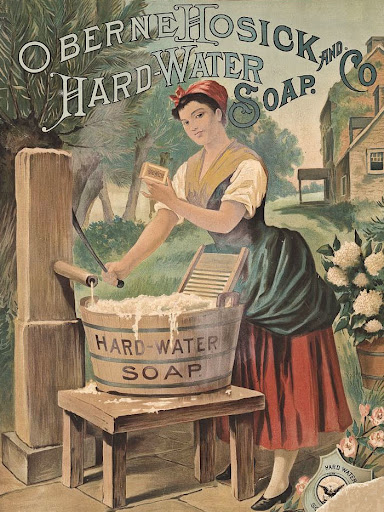
Taking you back in time, imagine life without any technology whatsoever. You don’t have electric or gas stoves, but wood burning stoves instead, you don’t have computers to write your family and friends an email or the ability to share photos, but you have to hand write everything down to the last letter, there was no such thing as a washer and dryer, you had to use an old washboard for every article of clothing you wore. Which by the way, had to be taken to the nearest lake or creek to be washed and you can just forget your handy dryer with your lavender scented fabric softener sheets! And what…no FaceBook? My husband’s grandmother, Evelyn is still in awe, when I show her pictures on my iPhone and she doesn’t understand how they got there! I have tried many times to explain to her what FaceBook really is and how you can share photos of family and comment on them. My favorite part of this is the way she says, “You can do this on the computer? It does that? Oh, how nice!” (Laughing) Oh the possibilities! We haven’t even really started to break the mold as far as what technology can do for us today.

Image Source


So with this great thing called technology, I am searching and scouring the various websites and resources in search of my family. Making contact with relatives I never even knew I had, all through the use of the Internet and my laptop! Ha! Who knew?? But being out in the middle of the Pacific Ocean, living on Oahu, I find that I am forever grateful for the high tech world I live in, and being able to re-connect with family I haven’t seen since I was probably six years old! 


The digital world has turned my laptop into a great tool. I now have the power to see through the looking glass (my laptop screen) to the world that was once my ancestors, and see not only photos of them, but also see the homes where they lived, the town where they grew up, the ability to see historical maps as they were back in the 1700-1800’s, searching old newspapers and census records, and so on. 


Today, my research is at a standstill somewhat, as I am waiting to receive documents from a family member that will give me something solid and concrete as far as actual data and birth records. Having contacted several members of my family, who I might add, are gathering photos and documents for me as I type this article. I hope to read and go over these very soon!


Hopefully I will be able to tear down one or more of the brick walls that seem to have stopped me in my tracks. 


Happy Hunting!!

English: An example of a Genealogy fan chart (...

English: An example of a Genealogy fan chart (or family tree fan chart) where paternal and maternal ancestors are shown as concentric rings of a fan. This family tree fan chart also includes family coats of arms. (Photo credit: Wikipedia)

Lately, I haven’t been finding the information that I have been seeking. This is a huge deterrent in my overall genealogy research. Why can’t I find what I need? Am I looking in the wrong places? I’m thinking so, at this point. So what do I do now? Keep forging on! Go, Go, Go!! Right now, I’ve been searching the Sutherland part of my family branch and have come to a detour of sorts. I’ve tried multiple search engines and keep coming up with the same sites that I’ve seen a hundred times over. What do you do when the road seems to have come to a dead end?


Things You Can Do:
1. Take a break!
2. If you have an idea, write it down. (Or you can do as I do and leave yourself a little note via your iPhone).
3.Read some of the message board forums. I know Ancestry.com has some good ones.
4. Talk to family members, they may have something to share with you too.
5. Talk to other Genealogy researchers, bloggers, even librarians! Someone should be able to help or at least point you in a new direction.


Have you thought about a research plan? You may be able to isolate the problem and come to some type of conclusion. It might even get you out of the rut that your research may currently be in.


Free Genealogy Forms


The Bailey’s Free Genealogy Forms


Printable Charts and Forms


Ancestry Charts- Free Download


There are also many audio/video podcast’s that you can listen to via iTunes! Check it out!
If you do not have iTunes, you can download it here: iTunes Download


Here is a sample podcast link for you!
Genealogy Gems Podcast (Episode #103)

English: A scenic cemetery in rural Spain show...

English: A scenic cemetery in rural Spain showing marble headstones. Copyright (c) 1996 Steven J. Dunlop, Nerstrand, MN (Photo credit: Wikipedia)

Okay, I’ll admit I love my iPhone! I was just browsing through the apps that were related to my current research on genealogy and came across one called “Billion Graves”.  There is a website that is similar to Billion Graves called Findagrave.com; what will they think of next?

Billion Graves puts together cemetery content submitted by users for people to share. How you may ask? The contributors upload the photos of headstones to their database, and what’s really cool is that the app is constantly updating your location based on your movement from from one grave to the next! So each image that is uploaded, has its’ own specific location and shows where each grave is located. If one person has this app and decides to go to their local cemetery, can you imagine what this app would offer another person across the globe? Time that by the billions of people that actually own the iPhone and use the app to their advantage. You would then have access to hundreds of thousands of grave images and know exactly where they have been mapped, thanks to each user.

What I like best about this particular app, is that once the photos have been published online, family historians and genealogists alike can help to transcribe the headstones. How is that for an easier search! But there is a downside to Billion Graves; anyone (and I do mean anyone) can edit the headstone data which could lead to a potential problem with the authenticity. Can you say human error? Misspellings? Not much more data can be included with your photo upload, apparently it’s only for photos- no text files are involved. So how do they plan on the deletion of duplicate entries? If five people decide they want to go to their local cemetery and it happens to be the exact same one, they upload images to their database. How in the world would this NOT create a problem?


When I went to the site, I was disappointed to see that Scotland wasn’t on the list of countries in which to choose from, but other third world countries that I had never heard of, are listed. Maybe it’s only because no one in Scotland has uploaded or mapped any of the cemeteries there? 
The app is $1.99 and we do all the footwork? I’ll have to think about this before I utilize this particular app. But just in case you are interested, you can download the app via the App Store.