
Posts Tagged ‘Evernote’

funfair mechanic

funfair mechanic (Photo credit: casper.tromp)

Remember those Saturday’s when your uncle or other male counterpart was constantly” fixing” something? Maybe he was replacing a blade on his handy, dandy, “don’t fail me now” lawnmower that is rolling on it’s last wheel. He could have been changing the oil in his truck, fixing a leaky radiator hose or any other thing he thought needed fixing! He always had a toolbox handy that had his basic necessities inside, didn’t he? Now, I’m not knocking today’s generation of women who can fix things. I make that attempt myself, although I usually do it the easy way by consulting “Google” for my easy fix!

I love the DIY (Do It Yourself) web sites and love to do the crafty things like refinishing old furniture because I see that it can still be used. I recycle! Don’t throw away what you think may be junk, may turn out to be a nice furniture piece for your parlor! One day as I was scouring the DIY pins on Pinterest, I found a unique coffee table made out of old wooden wine bottle crates! But sanded down and stained, they actually gave the room a modern but rustic ambiance to the room itself. It’s definitely on my list of “To-Do’s”! You can view the step by step here: http://diy-vintage-chic.blogspot.com/2012/05/vintage-wine-crate-coffee-table.html I heart this website! Such great ideas, especially if you like that “Vintage Chic” look 🙂 You can also follow my Pinterest page on the left sidebar at the top there is a button! Just click it and see what kind of stuff I have pinned! Pretty cool if I say so myself!

Okay. I think I have rambled endlessly about DIY stuff and that’s not what you thought you’d see coming to a genealogy blog now is it? HA! I fooled you! But seriously, back to the topic of the genealogy toolbox!

I have in my own toolbox, several apps I use and thought I would share with you the two that I use for today’s post. More to come next Monday!!

KINDLE~ OMG! I absolutely love this app! I use it on my iPhone4, yeah I don’t have the 4S with Siri who talks to me, but hey, who needs her when I have all these other apps that I love? I don’t need you Siri-sorry! But since I am a lover of reading and books, but also the more frugal “cheap” type of girl, I look for free or low cost books first. I have several genealogy books stored in my “cloud shelf” that I can read anytime I like. The Kindle app is free just in case you didn’t know. In my Kindle app, I have genealogy books that I downloaded for free, many creative writing books, some marketing, books about faeries and the fey, thrillers, and romance! My latest great read I want to share with you- the book is titled, “Forbidden Romance” and is cleanly written by Clinton Getzinger. You can check out the book and my review here: http://www.amazon.com/Forbidden-Romance-Clinton-W-Getzinger/dp/1478248084/ref=sr_1_1?ie=UTF8&qid=1346088256&sr=8-1&keywords=forbidden+romance+clinton+getzinger

Evernote~ Add new notes when you get great ideas or if you want to remind yourself to make that ancestral chart for your great grand aunt that you forgot to do yesterday~ OOPS! I use this app frequently. I have created notes on genealogy blog topics I would like to read about, genealogy correspondence logs, you name it and it goes in there. What is so cool about this app to me, is the fact that you can sync the app on your iPhone to your home computer! Ahhh! How great is that? That’s not all! You can add photos to your notes to give you that creative spark that you had at that particular time, on that day. You could have been walking your dog in the park and an idea just popped in your mind that you don’t want to take the chance that you may forget later. This is why I use this and guess what? IT’S FREE!

What genealogy apps do you use? Please comment below! I would love to find a new app that I haven’t seen or heard of!

Thanks for visiting and “Happy Monday” to you!!
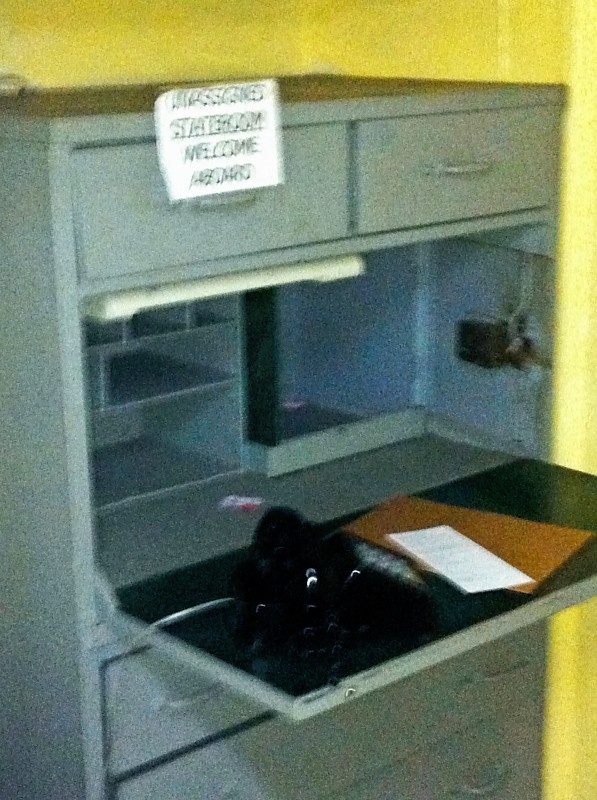
USS Missouri (Ship Desk)
Photo Credit: Kelly Vial via kellyvial.wordpress.com
Copyright © 2011, Kelly Vial

As a genealogist and family history researcher, you would think I’d be a little more organized! I am overwhelmed with emails of new information and document attachments! Now, what is the best way for me to sort through these? I think I need another filing cabinet! A filing cabinet just for my genealogy research! When I started my research I didn’t really need but just a little space in the back of my filing cabinet. Since I really didn’t have much as far as documents, except for the packets of information that I received from a family member oh so many years ago! Now it looks like my research is going to have to take up residence in another location 🙂

My handy, dandy printer just decided that it needs new ink cartridges! So what’s a girl to do with her digital documents when she can’t print them out right away? No CD’s either! What has my office world come to? Looks like I’m running out of everything, doesn’t it? I guess I need to make a trip to Costco and Office Max!

So I guess since I’m out of ink and I have no CD/DVD’s to make a genealogy back up disc, that I will have to resort to Evernote and then export all my documents into my Family Tree Maker 2012 software. There is so much that needs to be done! Did I mention how much I hate clutter? I can’t stand it when my computer files are all out of whack and not in their proper folders! Yes I did do that! It’s all my fault, just being lazy I guess!

MY TO-DO LIST

Re-stock my office supplies (make a list)

Organize my hierarchy mess of file folders on my laptop

Scan more photos (Oh so tedious; I think I have over 2000!)

Organize my file folders in my real world office (which happens to be my bedroom currently, in this tiny apartment)

Organize my file folders in my email account (Ugh..that should be tons of fun!)

Create a filing system that works wonders! (Is there a program out there for that?)

When I said organization is key in another blog post, I really meant it! It would have saved me so much time if I had accomplished everything like I was telling you how to be more organized! Ha! You remember that saying your mom may have told you at least once in your life? “Do as I say and not as I do!” That’s the way I at this moment! Here I am  writing about organization tips and not even doing it myself! All I can say is I’ll try to do better and not be such a sloppy genealogist 🙂

Evernote for iOS icon

Evernote for iOS icon (Photo credit: Wikipedia)

Have you ever thought about how much genealogy research you accumulate over time? I have papers, personal notes, photos, and other documents that just keep piling up and thrown into a folder, then filed away into my filing cabinet. How will I ever stay organized and find what I need without having to search each paper individually for a particular surname or date? I found it! A program called Evernote; I’ll only have one account and can use it on a multitude of devices! 


Evernote works by connecting all the computers and phones you use daily, which in turn, enables you to capture something in one place and then access it from another. What a genius idea! Imagine creating a folder for each project, surname, location, or however you see fit. You can capture everything, every bright idea, every little post-it you may have attached to one of your documents, so if you can see it or think of it, Evernote can help you remember it. “Everything you capture is automatically processed, indexed, and made searchable. If you like, you can even add tags or organize specific notes into different notebooks.”
 Evernote Download


Using Evernote will help me remember tons of things! I will be able to clip text from different web pages on topics of interest, I can then tag them for easy reference later. What’s even greater? The fact that I can use my smart phone to automatically sync my account with the program I have installed on my laptop! I could be in town and see something that sparks an interest that relates to genealogy in some way- snap the pic and off I go! I love this program because I can also use it in my library research. If you decide to use Evernote, let me know what you think of it. You can download a free version, the link to the website is above. 


Email notes from anywhere and they end up in your Evernote account to access later. A scribble from your iPad, a voice memo from your phone, a typed memo from your desktop, a clip from a website, a snippet form a blog, a photo, a link – absolutely anything! The world is your oyster…